WooCommerce SEO: Optimizing Your Online Store for Google Rankings

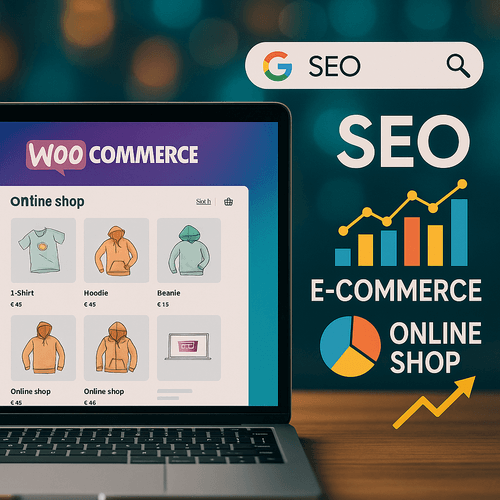
Comprehensive WooCommerce SEO: Strategic Optimization for Online Retailers
🔎An Introduction to WooCommerce SEO
WooCommerce SEO is a set of best practices and technical actions aimed at increasing the visibility of a WooCommerce-based online store in search engine results, such as Google or Bing. SEO optimization includes improving the site structure, tailoring content, eliminating technical barriers, and ensuring a positive user experience—all to help the store achieve higher rankings in organic search results. The WooCommerce plugin itself—the most popular e-commerce solution for WordPress—integrates perfectly with SEO tools and offers immense flexibility in personalizing and ranking a WooCommerce store.
Effective WooCommerce SEO goes far beyond simply increasing site traffic; it primarily allows you to reach a target audience that is genuinely interested in your offer. This leads not only to a higher conversion rate but also to building a long-lasting, recognizable brand online. Why is this so important? Because SEO efforts can provide a competitive advantage even for stores with smaller advertising budgets, and the return on investment (ROI) in positioning is more cost-effective in the long run than paid campaigns (according to Search Engine Land).
Continuous analysis and multi-level optimization play a key role in successful WooCommerce SEO: from keyword selection and content optimization to technical website aspects (loading speed, structured data), high-value descriptions, and a user-friendly navigation structure. For example, optimizing images for keywords, implementing faster hosting, or organizing product categorization not only improves the store’s “readability” for Google bots but, above all, enhances the user experience.
The results of properly implemented WooCommerce SEO are clear and measurable—as confirmed by many case studies. For instance, a sportswear store that optimized its meta descriptions and implemented SEO-friendly URLs achieved a 70% increase in organic traffic in just three months (as noted by Shopify). Of course, results vary by industry and competition, but without SEO optimization, it is difficult to expect high visibility even for the best product range.
In summary: carefully managed WooCommerce SEO is the pillar of success for any online store. By optimizing your website, you increase your chances of acquiring high-value customers and building a stable, profitable business online. This is a much more reliable path to success than relying solely on paid ads or social media.
🔑How to choose the right keywords for your store?
The foundation of every SEO strategy is selecting the right keywords—the phrases that internet users type into search engines when looking for products similar to your offer. An entire arsenal of tools comes to the rescue: Google Keyword Planner, Ahrefs, SEMrush, and Ubersuggest. These tools allow for a deep analysis of search volume, competition levels, and related search terms (Ahrefs).
The best approach is to start with general queries (“sports shoes”) and then move toward increasingly precise long-tail phrases (“women’s long-distance running shoes”). What do you gain from longer phrases? Although they generally generate less traffic, they are characterized by a significantly higher conversion rate. For example, an organic cosmetics store that implemented phrases like “organic skincare for problematic skin” successfully attracted customers who were much more determined to make a purchase (Neil Patel).
Competitor analysis is an invaluable source of inspiration—checking which phrases industry leaders use in their meta tags, descriptions, or product names reveals the strengths and weaknesses of your own strategy. Tools like SEMrush allow you to download a list of keywords for which your competitors are visible and use them to develop your own store (Moz).
Always keep the specifics of your target audience in mind. Consider what questions, doubts, and comparisons interest your potential customers (e.g., “best,” “ranking,” “comparison”). This will enable you to prepare content tailored to user intent, increasing your chances of high rankings in search results.
Regularly use Google Search Console to analyze the effectiveness of your chosen phrases. Check which keywords bring in the most valuable traffic and generate conversions—this will allow you to dynamically optimize the SEO strategy of your WooCommerce store.
✍️Content optimization: creating SEO-friendly product descriptions
A well-optimized, unique, and valuable product description is the cornerstone of a WooCommerce store’s visibility on Google. On one hand, descriptions should be engaging and detail the product’s benefits for the user; on the other, they must contain carefully selected keywords and remain entirely unique (Yoast).
Uniqueness is key—copying manufacturer descriptions leads to serious duplicate content issues, resulting in lower search engine rankings. An electronics store that invested in its own detailed descriptions, highlighting specific product features, saw a 50% increase in organic traffic within a few months. This strategy not only boosts SEO but also enhances brand trust.
Maintain a logical content structure—use subheadings (H2, H3), bullet points, and short paragraphs. Remember to incorporate long-tail phrases, examples, and answers to questions potential customers might ask. This not only increases the chances of appearing in featured snippets but also improves your store’s UX (Backlinko).
Don’t forget about meta tags—both the meta title and meta description must be unique, eye-catching, include primary keywords, and encourage clicks (CTR). Alt text for images is equally crucial, as it impacts positioning in Google Images. Well-described graphics can be a source of additional traffic, as proven by stores in the jewelry industry: simply updating alt tags propelled them to top positions in Google Images and significantly boosted sales (Moz).
Optimize, test, and measure! Regularly updating descriptions based on sales and conversion analysis is vital—systematic content improvement is what allows you to maintain a competitive advantage.
🚀 The Importance of Page Speed for SEO
WooCommerce store loading speed has a direct impact on SEO performance and user experience. For years, Google has treated page speed as a ranking factor: slow websites lose out to faster competitors in both search rankings and conversions, while an increased bounce rate significantly reduces the chances of a purchase (Google Search Central).
According to an analysis by Portland Web Data, increasing load time from 2 to 4 seconds results in a 40% drop in conversions, and every additional half-second delay leads to a 7% decrease (HubSpot). Owners of well-optimized stores—those investing in fast hosting, CDNs, and image optimization—have observed up to a threefold increase in the average time users spend on the site.
The most effective methods for speeding up a WooCommerce store include image compression, caching, limiting the number of plugins, minifying CSS/JS code, and regular database optimization. For monitoring, it is worth using GTMetrix, Google PageSpeed Insights, or Pingdom, which allow you to easily locate problematic elements and implement fixes (GTMetrix).
Complex themes and an excess of add-ons can heavily burden a store—replacing heavy sliders with optimized banners or reducing the number of dynamic widgets often cuts loading times by several seconds. A prime example is an electronics store that, after simplifying graphics and updating its PHP version, improved loading times by 55%, directly translating into sales growth and better Google rankings.
Consistently maintaining a store’s technical performance is the foundation of effective SEO. A fast, responsive website builds customer trust and makes it much easier to achieve high organic rankings.
⚙️Technical Aspects of WooCommerce SEO
Effective WooCommerce optimization relies not only on great content but also—and perhaps most importantly—on solid technical foundations. Key elements of technical SEO include SEO-friendly URLs, an SSL certificate (HTTPS), schema.org implementation, XML Sitemaps, and well-planned 301 redirects (Search Engine Journal).
Short, readable URLs containing keywords, such as /category/product-name, are easy to remember and better indexed by Google. Complex, random parametric links (like ?product=12345) are less friendly for both search engines and users. A home accessories store saw a visibility boost for 60% of its products after improving its link structure.
An SSL certificate enhances transaction security and serves as a Google ranking factor. Meanwhile, implementing schema.org structured data affects how your products appear in search results (rich snippets: star ratings, prices, availability), making it easier for users to find the information they need quickly (Google Developers).
A clear XML Sitemap is an essential component—it allows Google to index products and categories quickly and completely. Automatic 301 redirects after removing or changing URLs help avoid 404 errors and prevent the loss of link equity pointing to your store.
Regularly monitor indexing status and error reports in Google Search Console. This will allow you to detect and resolve technical obstacles, duplicate content, or misconfigured redirects, thereby improving your online store’s overall visibility.
⚠️Managing SEO Errors in WooCommerce
Even the best WooCommerce stores implicitly struggle with common SEO errors that hide beneath the surface of lower Google visibility. The most frequent issues include: lack of redirects after discontinuing products, duplicate content, poorly optimized meta tags, 404 errors, and a misconfigured robots.txt file that blocks valuable subpages from indexing (Ahrefs).
To manage errors effectively, conduct regular SEO audits using Google Search Console and Screaming Frog. A clothing store that removed duplicate content and added 301 redirects from inactive subpages quickly regained its lost search rankings.
An often-overlooked problem is unoptimized meta titles and descriptions—these can lead to a lower CTR despite a good ranking. Regularly check for uniqueness, use keywords, and experiment with different formats to increase clicks and traffic to your store.
Don’t forget about image filenames and alt descriptions—improper optimization will block your store from receiving traffic via Google Images. A cosmetics store that improved these elements saw a 30% increase in visits from image search within two months.
The most important thing is a systematic approach and the use of monitoring tools. Only the regular optimization of technical errors, removal of duplicate content, well-implemented redirects, and attention to every aspect of SEO will allow you to maintain a high position for your WooCommerce store.
🛒Leveraging Google Shopping in Your SEO Strategy
Google Shopping is a powerful tool for boosting the visibility of your WooCommerce store. Integration allows you to display offers directly in the “Shopping” tab and on the main search results page, significantly increasing the chances of clicks and purchases. A properly prepared product feed enables SEO optimization and gives you control over how your products appear in the search engine (Google Merchant Center).
The key to success? Unique product descriptions, correct technical configuration of the product file, and high-quality photography. For example, after implementing Google Shopping and optimizing descriptions, an electronics store recorded 40% more referrals from the search engine within a single quarter.
Enhance your product feed with detailed data: brand, size, color, and stock levels—this will make your offer more attractive and stand out from the competition. Monitor the performance of individual products and test different variations of titles and descriptions to continuously improve CTR and conversion rates (Search Engine Journal).
Combine Google Shopping with other channels (e.g., Facebook Ads) by implementing retargeting and tracking results with Google Analytics. This approach not only increases product visibility but also extends the customer lifecycle and helps build loyalty.
The skillful use of Google Shopping, enriched by SEO and modern analytical tools, is one of the foundations of successful online sales in the e-commerce industry.
📊Measuring SEO Performance for WooCommerce
An effective SEO strategy cannot exist without reliable measurement. The most important Key Performance Indicators (KPIs) for a WooCommerce store include: rankings for key phrases, organic traffic, conversion rate, number of visits, and their sources. Tools such as Google Analytics, Google Search Console, Ahrefs, and SEMrush are essential for monitoring these parameters (SEMrush).
Monitoring changes in rankings (for both the entire store and specific products) allows you to immediately identify which phrases generate the most sales—and thus optimize further actions. For example, by analyzing the impact of individual phrases on conversions, a clothing store quickly determined which keywords were worth developing and which to abandon.
I also encourage you to analyze the quality of organic traffic—metrics such as session duration, number of pages per visit, and bounce rate allow you to assess whether users are finding what they are looking for (and whether your content meets their expectations) (Google Analytics).
Regularly analyzing performance reports in Search Console helps identify subpages that require additional optimization and find new, high-potential keywords. Fixing SEO errors and constantly implementing minor improvements is the path to systematic growth.
The collected data should translate into specific on-site changes and A/B testing (e.g., different versions of descriptions, phrases, or site structures). Only continuous monitoring and adaptation to dynamically changing SEO conditions guarantee long-term success and the growth of a WooCommerce store.
📚Sources
- Ahrefs – Najczęstsze błędy SEO w sklepach internetowych
- Ahrefs – Keyword Research: The Beginner’s Guide
- Backlinko – Ecommerce SEO: The Definitive Guide
- HubSpot – How Website Speed Actually Impacts Search Ranking
- Google Search Central – Evaluating page experience
- Google Developers – Introduction to Structured Data
- GTMetrix – WordPress Performance Optimization Guide
- Moz – Competitive Keyword Research
- Moz – 12 Tips for Optimizing Your Ecommerce Product Pages
- Neil Patel – What are Long Tail Keywords?
- Search Engine Land – The Ultimate Guide to Ecommerce SEO
- SEMrush – How to Measure and Improve SEO ROI
- Google Analytics – Wskaźniki skuteczności Google Analytics
- Google Merchant Center – Informacje o Google Shopping
- Search Engine Journal – Technical SEO for Ecommerce Websites
- Search Engine Journal – The Ultimate Guide to Google Shopping Optimization
- Shopify – SEO Case Study: How One Store Increased Organic Traffic
- WooCommerce – Oficjalna strona platformy WooCommerce
- Yoast – Product Pages SEO: The Ultimate Guide




More than 9 years on the market, hundreds of successful projects
Most of our clients hire us because they need a new online store. However, they stay with us because they find in WebCrafters a reliable technology partner, supporting them comprehensively from the tech side.
We are not a software house. We are your outsourced IT department that will take care of your business just like an in-house team of programmers, designers, and project managers would.
Build your new product with us!
Make an appointment for a free consultation with an expert and let's talk
about your expectations.
Write to us!
Or call

Mateusz Lenicki
CEO
Phone: +48 510 775 352
Email: contact@webcrafters.pl